September 24, 2026
6 min
An AI receptionist checks real-time schedules, matches providers and rooms, and confirms before updating, helping dental practices reschedule appointments without double-booking.
March 27, 2026
9 min
Discover the five essential functions of practice management software that enhance scheduling, client records, compliance, and automation for effective practice management.

Dental practice management software gets adopted for all sorts of reasons: better scheduling, cleaner patient records, faster billing, or simply because the old system finally broke down once too often. But strip away the marketing copy from any dental PMS worth using and it boils down to five core functions: scheduling, patient records, document management and security, billing and compliance, and reporting and automation. None of these are accidental groupings, they're the functions a practice needs to run smoothly when real revenue and real patient care are on the line, and the gaps show up fast when any one of them is weak.
Here's what each function actually needs to do, and where most dental PMS choices quietly go wrong.
Ask any front desk what derails a day and scheduling problems come up almost every time, because every other function in the practice depends on getting patients into the right chair at the right time. Good scheduling software does more than digitize the paper calendar. It combines online booking so patients can schedule at any hour, two way calendar sync so nothing gets double booked, and automated reminders that cut down on the empty chair problem before it happens. That last piece matters more than it sounds: no show rates across healthcare run anywhere from 7% to as high as 18% depending on the practice, and missed appointments cost the broader healthcare system an estimated $150 billion a year. Automated reminders alone can meaningfully cut that number, and a waitlist that auto fills a cancellation turns an otherwise lost slot back into revenue instead of a gap in the day.
Strong scheduling also has to work hand in hand with how new patients actually reach the practice in the first place, tying inquiries from a website form or a phone call directly into a booked appointment without a manual handoff in between. A patient acquisition system built to close that gap is what turns a scheduling tool from a calendar into an actual growth engine.
A genuinely good scheduling module includes online self service booking that still respects provider availability and ties every booking to the correct patient record, real two way sync with whatever calendar the practice already runs on, and automated reminders paired with instant waitlist fill so cancellations get backfilled the same day rather than sitting empty.
The deeper point is that scheduling should never function as just a calendar sitting off to the side. A well built system ties every appointment to intake, document requests, and billing the moment it's booked. When those connections are loose, the breakdowns show up everywhere at once: claims get delayed because intake data arrived late, documents go missing, and audit trails become impossible to reconstruct after the fact.
Patient records sit at the center of everything a dental PMS does, and the strongest systems turn intake data, treatment history, custom notes, tasks, and billing into one continuous timeline instead of five disconnected screens. The efficiency gains compound quietly: less duplicated data entry, less context lost between the hygienist and the front desk, and dramatically faster onboarding when a new team member joins.
This gets even more valuable once it connects to structured lead workflows, where a new inquiry becomes an active patient record automatically instead of needing someone to re-key the same information twice. Good lead management for DSOs depends on exactly this kind of seamless handoff.
The elements worth demanding here: a single patient record holding all notes, tasks, and invoices in one place rather than scattered across modules, intake that flows straight from a portal into the record without manual re-entry, search and timeline views that actually surface what happened and when instead of forcing someone to dig, deep integration with calendars, documents, and billing so nothing lives in isolation, and access controls with audit trails solid enough to defend under a HIPAA review, not just a checkbox feature nobody's tested.
Purpose built dental platforms like Dentrix, Eaglesoft, Open Dental, and Curve Dental all treat this patient record as the hub everything else revolves around, though they differ sharply in how well they execute it, and vendor neutral comparisons of dental PMS tend to weigh exactly this integration depth over flashier surface features.
Document chaos rarely arrives on purpose, it creeps in one unversioned consent form and one misplaced x-ray at a time. Modern dental PMS platforms weave document management directly into the patient record rather than treating it as a separate silo, so uploads, drafts, and signed forms stay versioned and attached to the right timeline in real time. Paired with real security controls, that means knowing exactly who changed what, when, and whether the action holds up against compliance requirements, rather than hoping it does.
If a defensible chain of custody for every file matters, and for a dental practice it should, document management needs to be native to the patient record system, not bolted on as an afterthought. Many practices pair this with automated reputation management to keep trust and compliance moving together rather than treating them as separate problems.
The features that actually plug document management into patient records well: real version history so rolling back a consent form or answering a who edited this question is possible rather than a guessing game, search that works across every folder and matter instead of forcing a manual hunt before a deposition or an audit, and templates with e-signature built in so routine documents draft themselves and link to the correct record automatically.
On the security side, three things matter most: encryption and access controls fine grained enough that only the people who need to see a document can see it, audit trails and retention policies that log every action from upload to deletion and hold records as long as regulation requires, and tight integration that minimizes how often sensitive data has to be manually exported or transferred, since every export is another chance for a leak. HIPAA specific gaps here aren't theoretical, they're one of the more common findings when practices actually get audited, which is why dental cybersecurity deserves more attention than it usually gets in a software buying decision.
Billing in a dental context isn't just sending invoices, it's linking every financial event to the right patient record, tracking insurance eligibility and claims, and staying compliant with regulatory requirements that only get more demanding as a practice grows. Without those controls built in natively, audit trails and workflow checks become manual work someone has to remember to do, and eventually someone forgets.
The payoff for getting this integrated is concrete. A practice running insurance eligibility checks tied directly to intake and patient records sees reimbursement cycles shrink measurably, because claims go out clean the first time instead of bouncing back for correction. Tracking these financial outcomes gets easier when paired with clear dental KPIs that turn billing data into something leadership can actually act on rather than a spreadsheet nobody opens.
What good billing integration actually delivers: cash arrives faster, since automated submission and eligibility checks mean reimbursement shows up sooner rather than weeks later, and tying every billable event to the correct patient record means nothing quietly falls through the cracks. Denials drop meaningfully too, since business rules and pre-submission scrubbing catch the errors that trigger a rejection before the claim ever goes out, which matters more than it sounds given how often denials are the difference between a practice staying cash flow positive and constantly playing catch up. Reconciliation gets automatic once every dollar spent or received ties to the right patient file, compliance becomes something built into daily workflow instead of a separate audit exercise, and collections speed up noticeably, some platforms report collections improving by roughly 70% once billing and patient records stop living in separate systems and start talking to each other in real time.

Data only matters if someone can act on it. The reporting layer in a modern dental PMS turns raw operational data, appointments, invoices, patient records, into direct answers: where's the bottleneck, which providers are underbooked, what's the actual lead conversion rate this month. Because this sits on top of the patient record system rather than beside it, the reports reflect the practice's full operational reality instead of a handful of disconnected metrics.
Automation matters even more once a practice scales past a single location, where lead management for DSOs has to make sure no inquiry slips through the cracks across multiple offices simultaneously. Understanding how modern dental office software actually connects these pieces is worth doing before signing a contract, not after discovering the gaps six months in.
The dashboards worth having don't just show totals, they show velocity, conversion rates, chair utilization, and where things are genuinely stuck in the pipeline. When that data ties back to actual patient record stages rather than sitting in a generic analytics tool, you can see specifically where revenue is getting delayed and which tasks are overdue, with enough detail to actually fix the problem instead of just noticing it exists.
Automation itself usually starts simple, invoices generating automatically, task triggers firing as a patient moves through treatment, but even that basic layer compresses hours of manual work and removes the handoffs where human error tends to creep in, particularly around billing. Responding to a new inbound lead within five minutes, rather than the next business day, tends to drive the kind of conversion rates most marketing teams only dream about, and automation is usually what makes that response time possible at scale rather than depending on someone catching every notification manually. Good automation also flags outlier billing patterns for review before they escalate into disputes, catching the problem while it's still small.
Growing practices almost never stay inside one tool for long. The strongest dental PMS platforms integrate cleanly with imaging systems, QuickBooks, calendars, payment processors, and cloud document storage, and the more a practice can synchronize around the patient record as the single backbone, the less time gets wasted on duplicate data entry as it scales across locations.
The five functions above matter more than any single vendor name, but it helps to see how the platforms most practices actually evaluate stack up against each other, since pricing and fit vary more than marketing pages tend to admit.
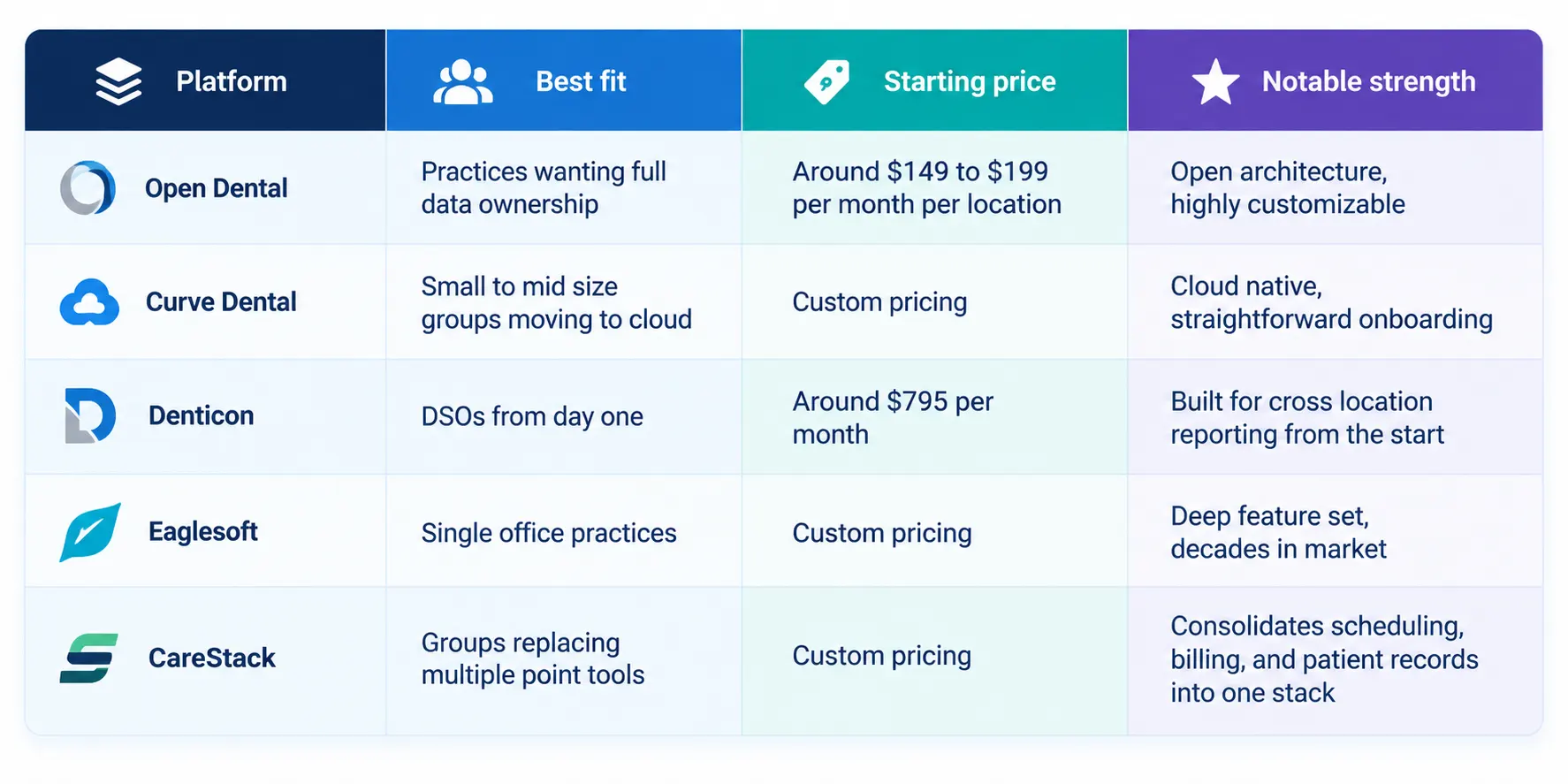
None of these are automatically the right choice, the fit depends heavily on whether a practice is a single office or a multi location group, and whether cross location reporting or single office depth matters more. What holds true across all of them: a platform that keeps data siloed by location tends to become a real liability the moment a practice grows past two or three offices, since the reporting and compliance functions described above stop working the way they should the moment the underlying data isn't unified. Comparing options against a practice management software list built specifically for dental is a faster starting point than working through generic reviews written for medical or legal practices instead.
A quieter trend worth watching: tools that go beyond managing daily operations and start optimizing patient acquisition too. ConvertLens is one example built specifically for dental practices and DSOs, an AI driven CRM that plugs directly into the PMS and ties every marketing event back to the patient's actual journey. Every web lead, booked appointment, missed call, or conversion traces straight into the patient's record, which is the piece most marketing dashboards can't show on their own.
The mechanics worth understanding: two way sync means leads generated from ads flow into the CRM, and successful bookings sync back into the core PMS so the intake pipeline never breaks at the handoff point. Automated routing means new inquiries get directed intelligently and their status updates in real time, from lead to scheduled to converted, without anyone manually tracking the handoff. And ROI visibility means the dashboard connects marketing spend directly to booked production, so a practice knows which ad dollar produced which patient rather than just which click got the cheapest cost per lead.
Picture a DSO running ad campaigns across several locations: every web inquiry gets scored, routed, and followed up within the five minute window that tends to define whether a lead converts, and once booked, intake, forms, and appointment details all flow straight into the patient record. Nothing gets left behind in a separate marketing tool, and cost per patient, typically somewhere in the $150 to $300 range depending on the market and treatment type, becomes something calculated from real operational data rather than estimated from ad platform reporting alone. That's the difference between reallocating budget based on patients actually created versus impressions that merely looked good in a dashboard.
What are the five core functions of dental practice management software?
Scheduling, patient records, document management, billing and compliance, and reporting and automation. All five orbit around the patient record as the core, which is what keeps the other four functions connected instead of operating as isolated silos.
Is document management the same thing as patient record management?
Not quite. Document management stores files, controls versions, and makes them searchable and secure. Patient record management assembles that alongside treatment history, workflows, communications, and billing, the full lived history of a patient's relationship with the practice. The strongest dental PMS platforms merge these two experiences for the user while keeping them architecturally distinct for auditability.
How does dental practice management software actually help with HIPAA compliance?
Compliance gets built in through permissions, audit logs, encryption, and workflows that enforce the required regulatory steps automatically. Most of this surfaces at the patient record level, intake, billing, and retention tracked and reconciled inside the record rather than scattered across separate systems, which is what minimizes the manual oversights that tend to attract an audit in the first place.
Do these systems provide real data security, or is it just marketing language?
The strong ones do: encryption throughout, reliable backups, layered authentication, granular access controls, and a patient portal that doesn't leak data through a weak link. E-signature trails and layered audit logs add a defensible compliance record, which matters more in a regulated healthcare environment than most buyers realize until an audit actually happens.
Can workflow automation genuinely reduce billing errors?
Yes. When automation is doing its job, claim data gets populated in advance and checked before submission, approvals move in a defined sequence, and compliance rules get enforced without relying on someone remembering every step manually. Paired with reporting, even outlier billing patterns surface for review before they turn into a dispute months later.
What should a growing dental practice or DSO prioritize when choosing a PMS?
Integration depth matters more than any single feature. A platform that ties scheduling, patient records, billing, and marketing ROI together into one system scales far better across multiple locations than five disconnected tools that each do one thing well but don't talk to each other.



September 24, 2026
6 min
An AI receptionist checks real-time schedules, matches providers and rooms, and confirms before updating, helping dental practices reschedule appointments without double-booking.
September 23, 2026
6 min
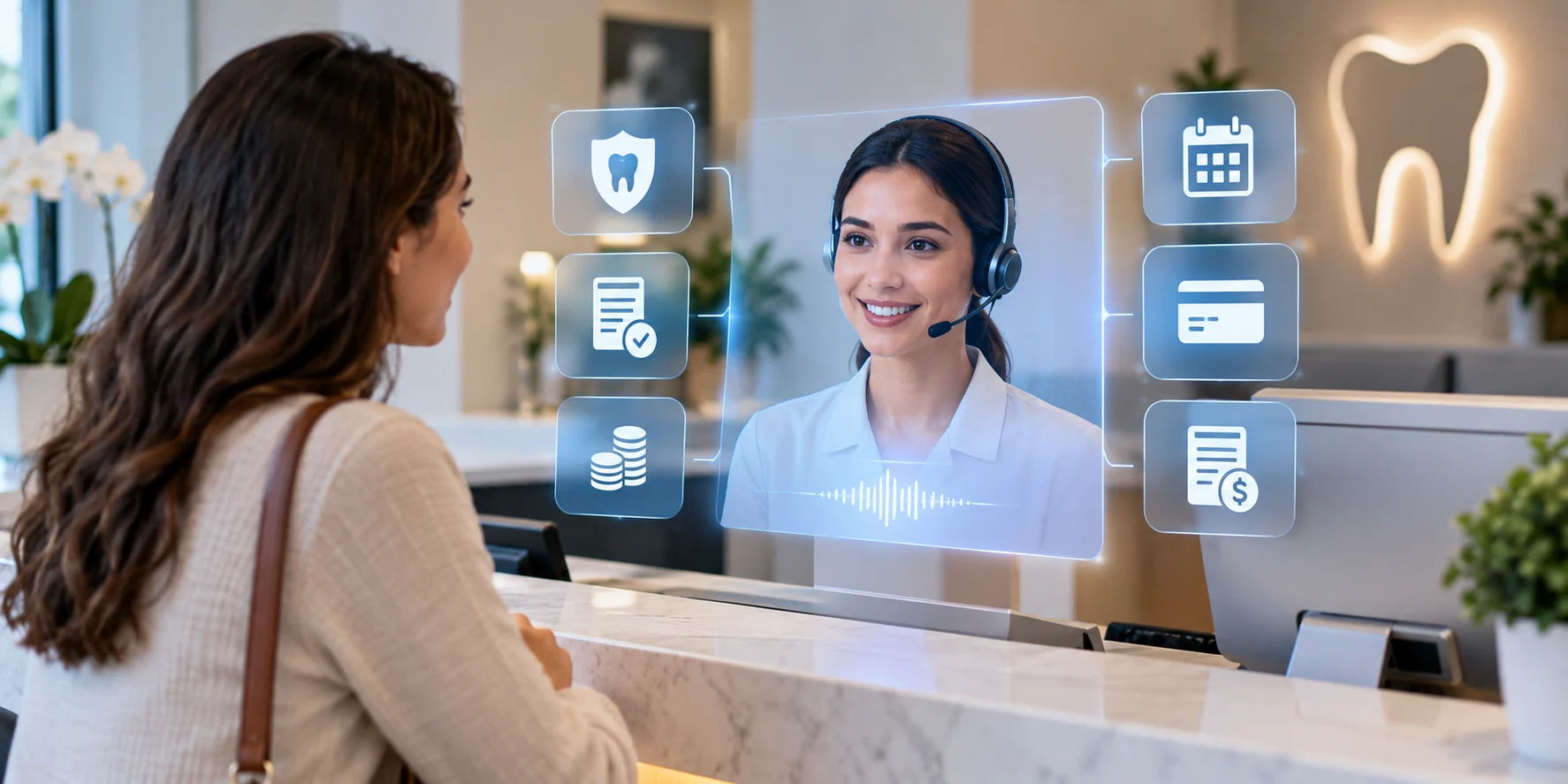
AI receptionists can explain insurance verification, collect plan details, clarify billing terms, and answer payment questions, then pass complex account issues to your billing team.
September 21, 2026
9 min
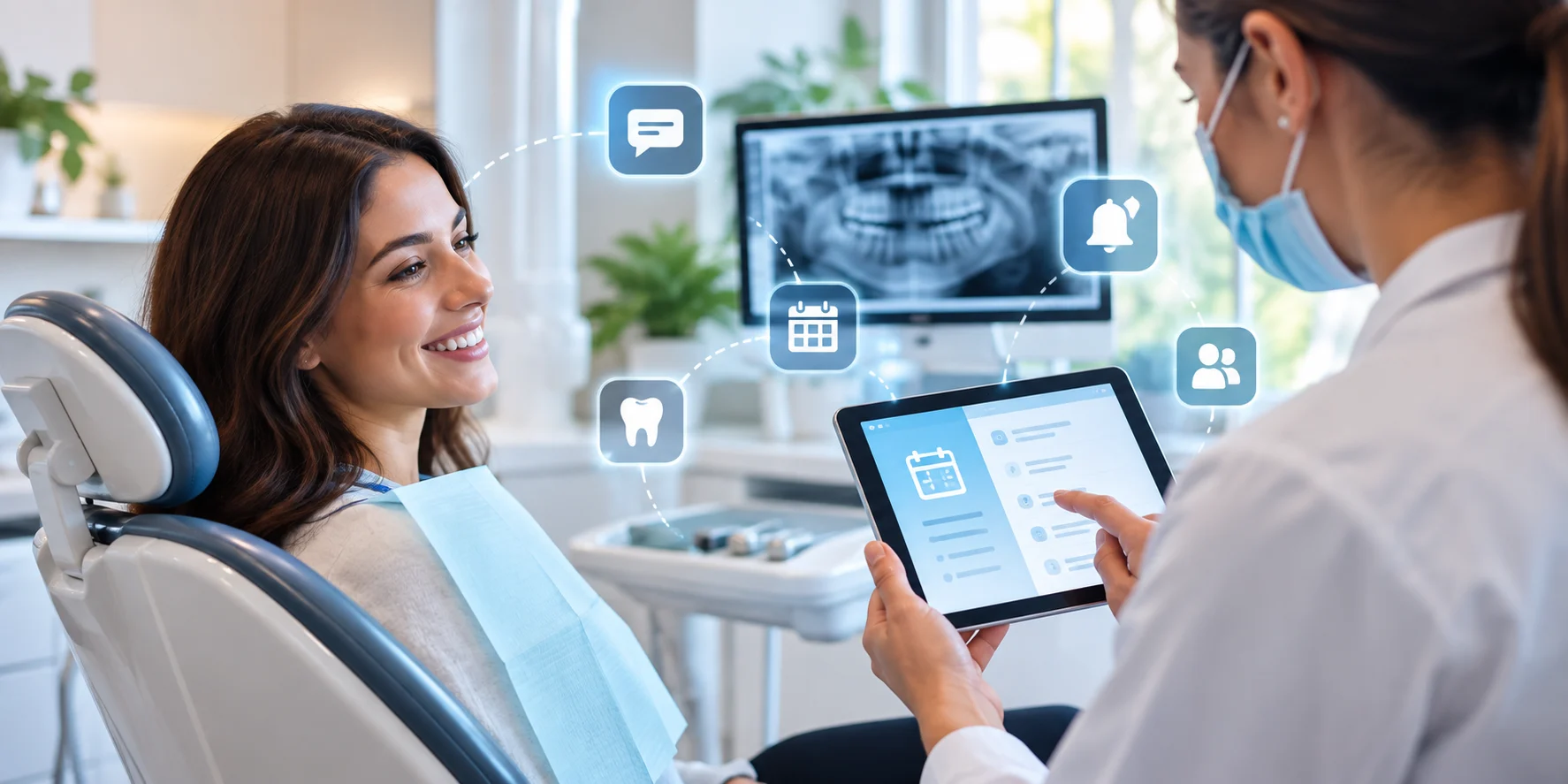
Improve dental patient experiences with engagement technology that streamlines scheduling, strengthens retention, and eases front-desk workload.
Sign Up Now & Someone from Our Team Will Be in Touch Shortly!
Use the form below to send us a message, and we’ll get back to you as soon as we can.
.webp)
Track every marketing dollar and optimize patient conversions with ConvertLens. Gain valuable insights from your campaigns, ensuring you never miss a potential patient. Maximize ROI and grow your practice effortlessly.
-p-500.webp)